![SO-logo_line_RGB.png]](https://knowledgebase.smartocto.com/hs-fs/hubfs/SO-logo_line_RGB.png?height=40&name=SO-logo_line_RGB.png)
Conversions can be found in the Insights drop-down (Insights > Conversions) menu and within the Reports (New report > Step 2: Setup data > Add conversions).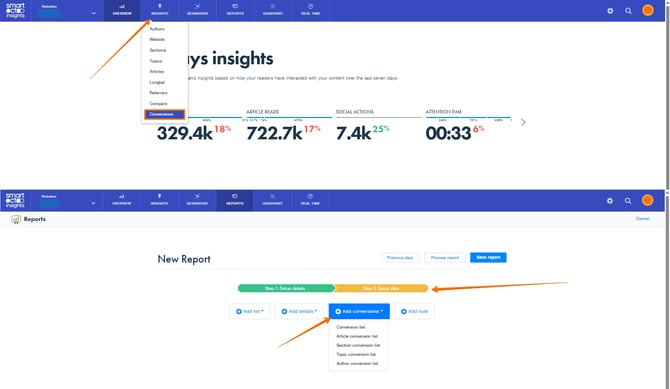
Before setting up Conversions, please consult with your smartocto Success Manager first. The instructions for setting up conversions can be found here: https://knowledgebase.smartocto.com/conversion-tracking. For all additional questions, please contact support@smartocto.com (email subject: [company] name and smartocto - Conversions implementation).
Please note that you will not be able to see the Conversions page in Insights and an option to add conversions in reports (as seen above) until the implementation is completed properly and smartocto technical support team sets and turns on the feature.
The Conversions page offers you the number of conversions and the trend of growth or/and decline during the chosen period.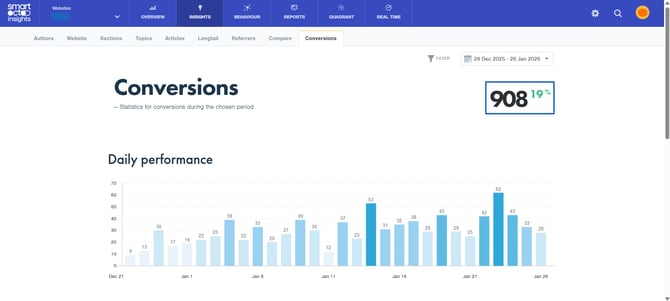
It also offers daily tracking of the number of your conversions.
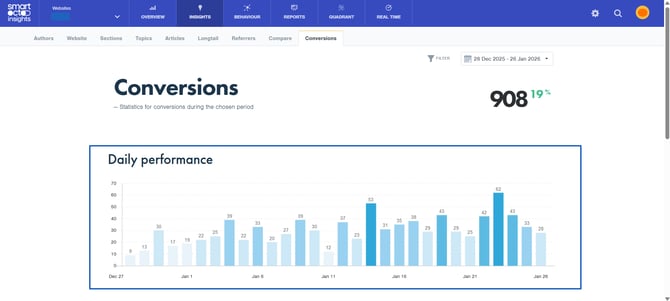
You can also track your conversions (their numbers) through time.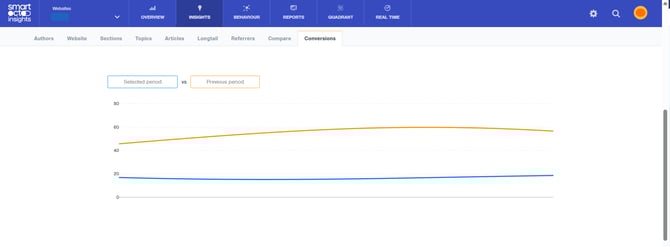
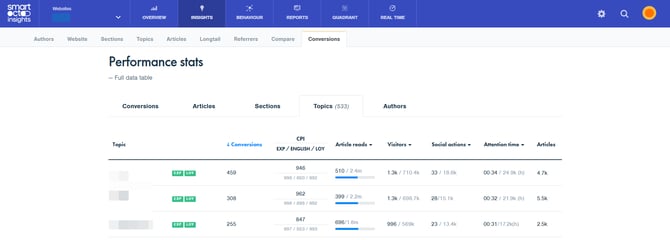
At the very end of the page, you can find the performance stats connected to your conversions - Conversions (especially if you have several different types of conversions), Articles, Sections, Topics and Authors.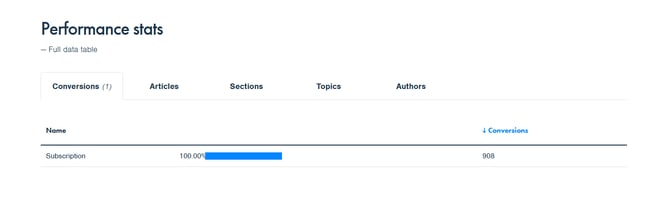
Note: Don't forget thta you can use the FILTER option on the Conversions page too.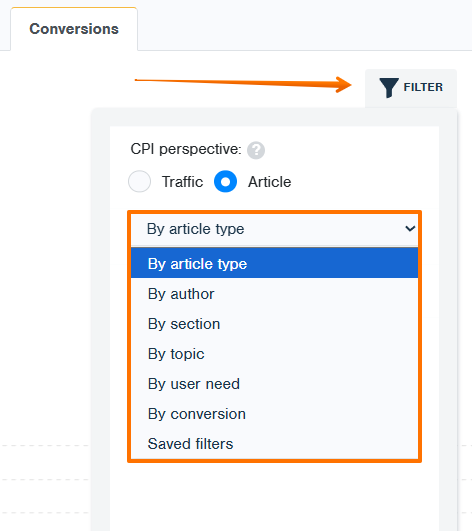
Especially to segment based on different conversions.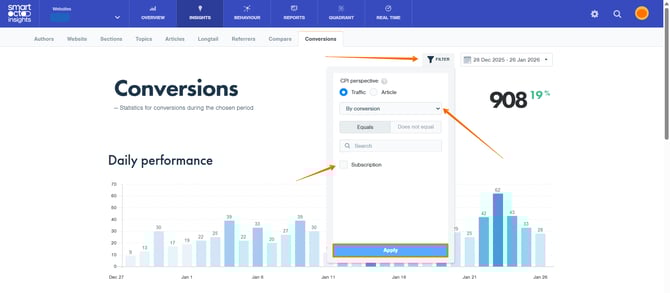
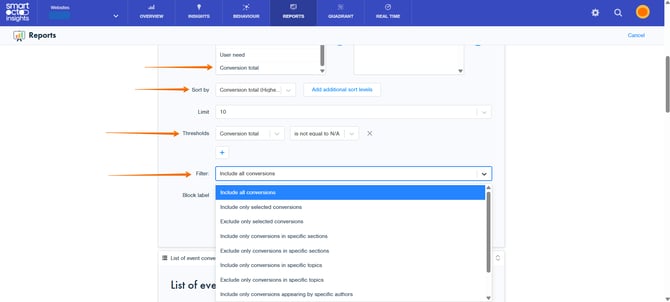
Within the Reports, you can add different types of lists:
-
Conversion list
-
Article conversion list
-
Section conversion list
-
Topic conversion list
-
Author conversion list
You can create your report in the same way you usually do, with the addition of the conversion-related options.