![SO-logo_line_RGB.png]](https://knowledgebase.smartocto.com/hs-fs/hubfs/SO-logo_line_RGB.png?height=40&name=SO-logo_line_RGB.png)
You can receive email notifications from smartocto to stay informed about important stories and recommended actions, such as publishing a story or creating a follow-up. To start receiving them, enable email notifications in your personal settings and select which notification types and brands apply to you.
To receive email notifications in smartocto, enable the option in your personal settings and choose which notification types and brands apply to you. Follow the steps below to set this up.
How do you start receiving email notifications?- Go to your realtime environment (for example brandname.smartocto.com)
- Go to you personal settings in the top left corner
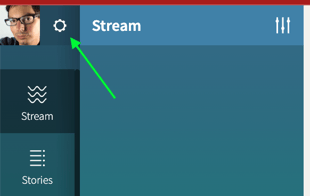
- Click the enable-button to enable the option to receive notifications by email.
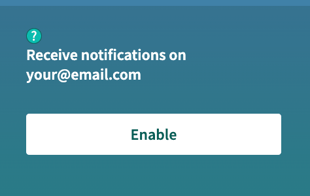
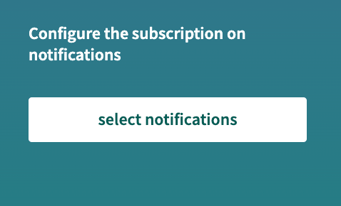
- After enabling notifications, a new section called Configure the subscription on notifications will appear below the enable button.
- Click on the button Select notifications under the header Configure the subscription on notifications
- The panel displays all available notifications for the brand you are currently viewing, sorted alphabetically by notification text.
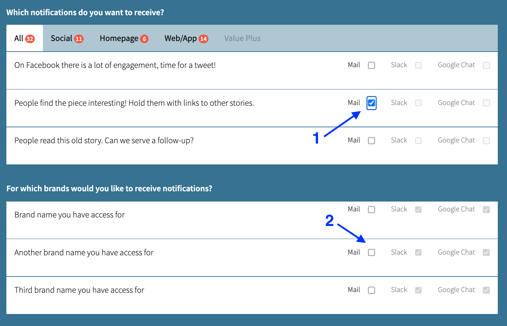
- Select the checkbox next to each notification type you want to receive.
- Select the brands for which you want to receive those notifications using the brand selector.
- Note: A notification must be active on the visited brand before you can select it. To check and enable a notification for another brand, visit that brand's page directly, navigate to settings an see which notifications are active.
- Hit the checkbox for the notification you want to receive.
- Now you can select for which brands (2) you want to receive notifications and select the types of notifications you want to get in your inbox. Keep in mind that another selected brand must have the selected notification active. Otherwise you won't receive it for the other selected brands. The best way is to check the notifications per brand by visiting the other brands.
If you're viewing the settings on brand1.smartocto.com, you'll see only the available notifications for brand1. If you also want to set the notifications for another brand you have access to, then visit theotherbrand.smartocto.com, go to the settings and select the notification you want to receive.